Table of Contents
- I received this NFC keychain as a freebie
- What is an NFC keychain and how does it work?
- Can I write to an NFC keychain?
- How do I update the URL on this NFC keychain?
- Test the updated URL by bringing your phone close to the NFC keychain
- How do I update the URL programmatically on this NFC keychain?
- Conclusion
I received this NFC keychain as a freebie
I recently received this keychain as a freebie in an event.
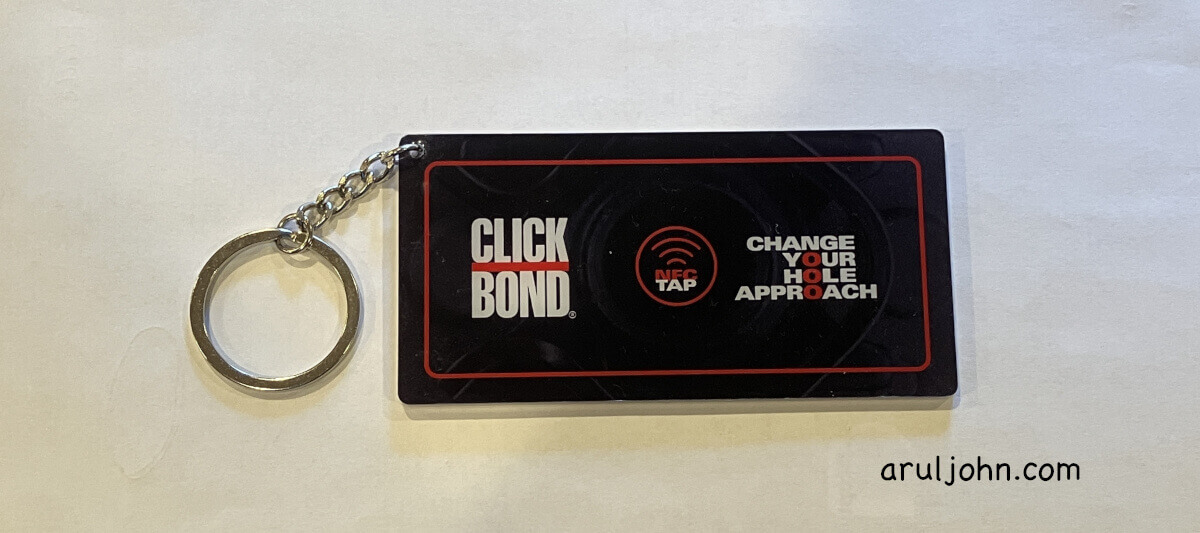
It looks like a regular keychain, but is an NFC keychain. That means, if you bring your cell phone near it, it will do something. In this case, it prompts me to open a webpage on the Clickbond website.
What is an NFC keychain and how does it work?
An NFC tag is a small wireless device that uses Near Field Communication (NFC) technology to store and transmit tiny amounts of data over very short distances, about an inch or two at most. At least this Clickbond keychain has a range of 1.5 inches.
An NFC keychain has a tiny chip plus an antenna. You will find it embedded in stickers, cards, keychains, or other products. The fun thing is NFC keychains do not need need a battery. They are powered by the NFC reader (in your phone) when you tap it or bring it near.
When you bring your phone near to it, your phone reads the data from the tag. That data can be a web link (in this case, the Clickbond website), contact info, Wi‑Fi credentials, or other stuff.
Common uses include these:
- Tap to open a website or app.
- Tap to automate actions (e.g., turn on Wi‑Fi, set alarms).
- Contactless payments (though payment cards use more secure NFC tech).
- Smart business cards.
- Inventory tracking or product authentication.
Can I write to an NFC keychain?
Yes, you can also write to an NFC keychain if it has write permission. My Clickbond keychain has write permission, and this is what the blog post is about.
How do I update the URL on this NFC keychain?
This is the easiest way and best if you have only a few NFC keychains. If you have hundreds or thousands of NFC tags, then maybe you should invest in an NFC reader-writer and use the Python program in the next section.
Download the NFC Tools app
Download the free NFC Tools app from Apple App Store or Google Play Store.
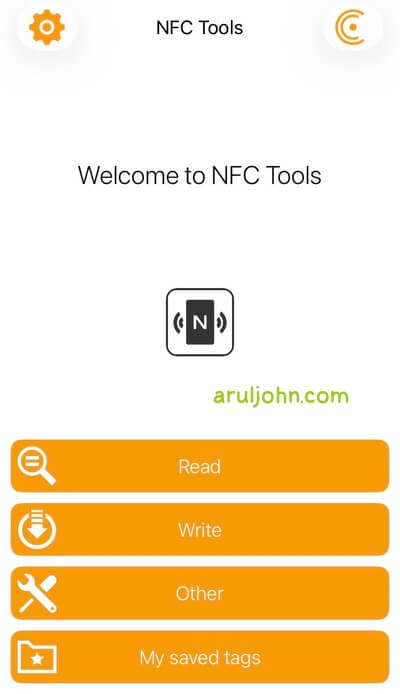
Open the NFC Tools app
Open the NFC Tools app by clicking on it. You will see this screen:
Start editing the NFC URL tag information
Click on the "Write" button to start editing the URL tag.
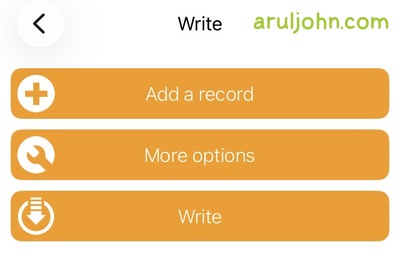
You will be taken to the Write section. Here, we will enter a new URL. Click on the URL / URI button.
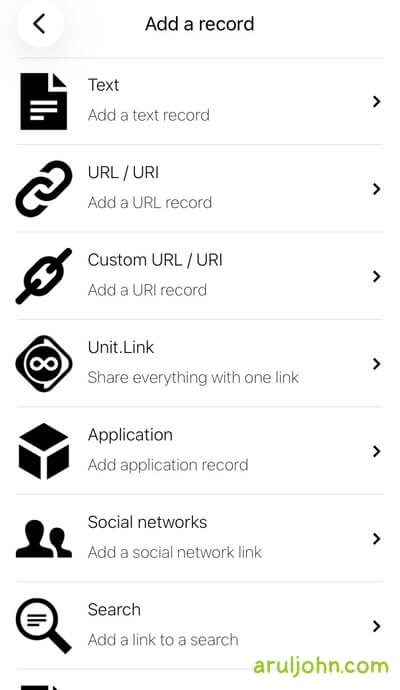
Enter the new URL in that text field.
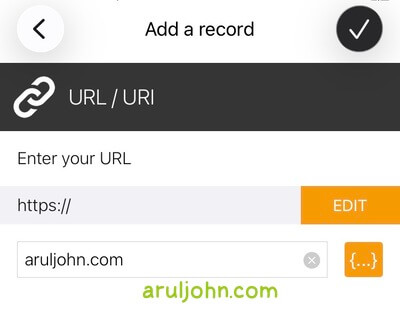
Save the updated URL to the NFC keychain
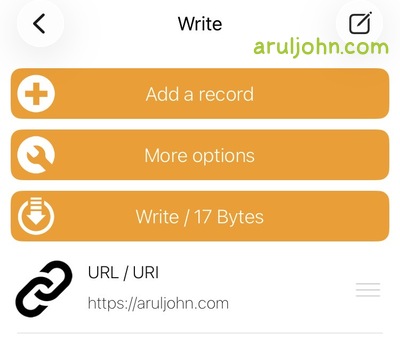
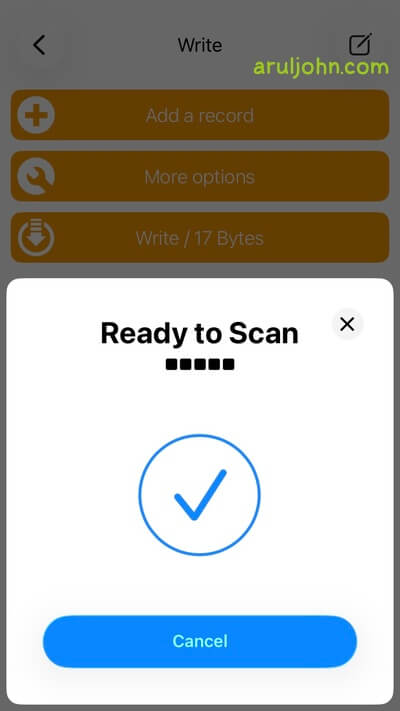
You will see this screen. Bring your NFC keychain close to the phone. The URL will be updated and written to the NFC keychain.
Test the updated URL by bringing your phone close to the NFC keychain
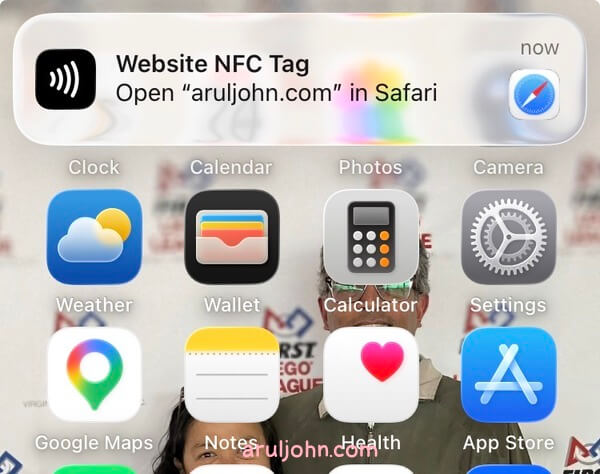
Bring your phone near the NFC keychain. Maybe about an inch or two. Your phone should automatically prompt you to open the updated URL, in my case, my website aruljohn.com.
How do I update the URL programmatically on this NFC keychain?
If you have dozens or hundreds or maybe thousands of NFC keychains, and want to update all of them to the same URL, using NFC Tools will be a pain and get tiring soon.
The best and most efficient way of updating several NFC keychains is by doing it programming. This is the best use case for this section.
Using Python, you can install and use the Python modules nfcpy and ndef. But first, you need the hardware to connect your computer and interface your NFC keychain.
Buy an NFC reader writer like ACR122U
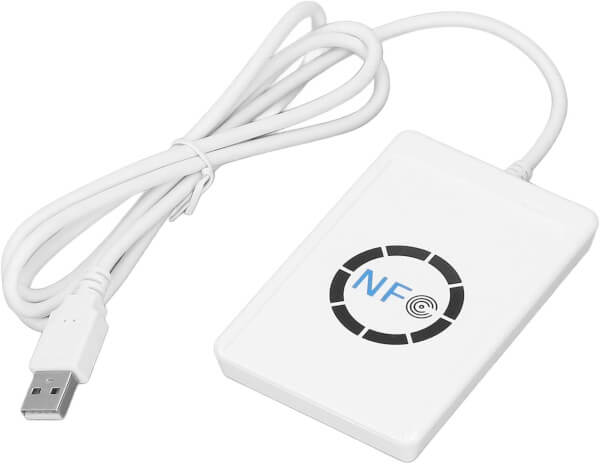
You will need to buy and install an NFC reader-writer like the ACR122U NFC Reader Writer.
Next, you will have to install the Python modules nfcpy and ndef.
python -m pip install nfcpy ndef
To update the URL in the NFC keychain to something like https://aruljohn.com, this code works.
Save this file as update_nfc_keychain.py
import nfc
import ndef

def connected(tag):
    # URL to update to
    url = 'https://aruljohn.com'
    record = ndef.UriRecord(url)

    # Check if the tag supports NDEF
    if tag.ndef:
        try:
            tag.ndef.message = ndef.Message(record)
            print(f'SUCCESS: NFC Tag was updated with URL {url}')
        except Exception as e:
            print(f'ERROR: Failed to write to tag {e}')
    else:
        print('ERROR: Tag does not support NDEF formatting')
    return True

if __name__ == '__main__':
    with nfc.ContactlessFrontend('usb') as clf:
        print('Tap your NFC tag to the reader')
        clf.connect(rdwr={'on-connect': connected})
Run this:
python update_nfc_keychain.py
You will be prompted to bring the NFC keychain close to the NFC reader-writer. When you do that, the Python program will overwrite the URL with the new one https://aruljohn.com.
Bring all your 100 NFC keychains close to the reader-writer one by one and get them all updated quickly.
Conclusion
If you have a few NFC tags lying around and found this blog post useful, let me know. Thanks for reading.
Related Posts
If you have any questions, please contact me at arulbOsutkNiqlzziyties@gNqmaizl.bkcom. You can also post questions in our Facebook group. Thank you.